
applesilicon
TG Pro now supports iMac with M6 and MacBook Pro with M6 or PROLED XDR
09/11/26 21:15
TG Pro 2.105 adds temperature monitoring and fan control for the new iMac with M6, the 14-inch MacBook Pro with M6, and the 14-inch and 16-inch MacBook Pro models with PROLED XDR touchscreen displays.
TG Pro brings temperature monitoring, fan control, hardware diagnostics, and customizable notifications together in one app.
The latest update adds support for:
Monitor CPU and GPU temperatures, keep an eye on fan speeds, and use manual fan control or Auto Boost to adjust cooling as temperatures change.
TG Pro showing CPU temperatures, fan speeds, and diagnostics on the 16-inch MacBook Pro with PROLED XDR display.
This release improves spacing in the menu bar drop-down and adds the option to save a support package as a file if an upload fails. It also has numerous improvements and fixes.
For the complete list of changes, see the TG Pro Release Notes.
Already using TG Pro? Open the TG Pro menu bar item, choose About, then click Check for Updates.
Explore temperature monitoring, fan control, hardware diagnostics, and customizable notifications with TG Pro.
TG Pro brings temperature monitoring, fan control, hardware diagnostics, and customizable notifications together in one app.
Support for the latest iMac and MacBook Pro
The latest update adds support for:
- iMac (24-inch, M6)
- MacBook Pro (14-inch, M6)
- MacBook Pro (14-inch PROLED XDR, M5 Pro or M5 Max)
- MacBook Pro (16-inch PROLED XDR, M5 Pro or M5 Max)
Monitor CPU and GPU temperatures, keep an eye on fan speeds, and use manual fan control or Auto Boost to adjust cooling as temperatures change.
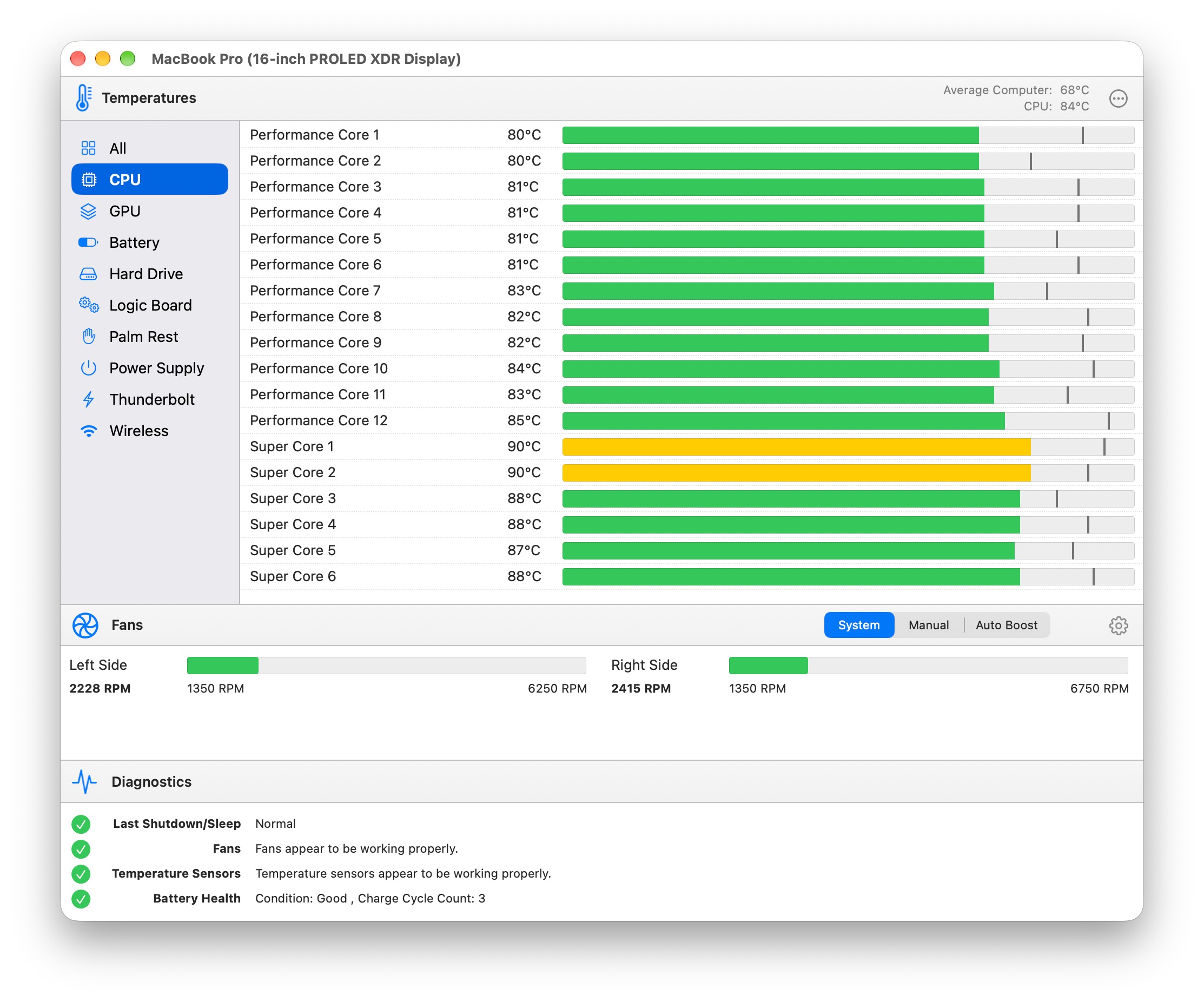
TG Pro showing CPU temperatures, fan speeds, and diagnostics on the 16-inch MacBook Pro with PROLED XDR display.
Mac Studio and Mac mini are covered, too
These additions build on TG Pro 2.104, which introduced support for Mac Studio with M5 Max or M5 Ultra and Mac mini with M6 or M5 Pro. That update also brought full macOS 27 compatibility and a refreshed main window with improved spacing and alignment.
More improvements in 2.105
This release improves spacing in the menu bar drop-down and adds the option to save a support package as a file if an upload fails. It also has numerous improvements and fixes.
For the complete list of changes, see the TG Pro Release Notes.
Get the latest TG Pro
Already using TG Pro? Open the TG Pro menu bar item, choose About, then click Check for Updates.
Explore temperature monitoring, fan control, hardware diagnostics, and customizable notifications with TG Pro.
MacBook Pro M2 gains support for CPU, GPU temperatures & fan control
27/06/22 11:08
TG Pro has been updated to version 2.70 to fully support the new MacBook Pro M2. Read More…
Mac Studio gets temperature monitoring & fan control
19/03/22 20:20
TG Pro now supports the new Mac Studio models, including both the M1 Max and M1 Ultra versions. Temperatures such as CPU, GPU, memory, Thunderbolt ports and many more are available along with fan speeds and full control. Read More…
Temperature monitoring & fan control for M1 Pro / M1 Max MacBook Pros
27/10/21 20:45
TG Pro now supports the 14-inch and 16-inch MacBook Pros with temperature monitoring for over 30 sensors, along with fan speeds and full fan control, plus many more features. Read More…
View CPU/GPU temperatures, fan speeds, battery health and more with TG Pro
13/10/21 15:27
View CPU/GPU temperatures, fan speeds, battery health and more with TG Pro. Read More…
Fan control & temperature monitor for M1 iMac
09/06/21 09:34
TG Pro now supports the 24-inch M1 iMac with temperature monitoring including specific ones to the iMac such as the LCD panel and power supply. Read More…
Fan control for M1 (Apple Silicon) Macs
30/11/20 11:22
TG Pro now supports the Apple Silicon based Macs with the M1 processor! This includes the new MacBook Pro, MacBook Air and Mac mini. Read More…