Text from your Mac. With an Android phone.
Texty brings Google Messages to macOS, so you can read and send messages from the keyboard and screen already in front of you.
Core messaging is free. Requires a Mac running macOS 10.15 or later, an Android phone with Google Messages, and an Internet connection on both devices.
See what’s new in Texty 1.3.12
Your phone can stay in your pocket.
Keep up with conversations without reaching for another device. Texty gives Google Messages a dedicated place on your Mac, with the familiar speed and convenience you expect from a desktop app.
- Use your Mac keyboardWrite longer replies comfortably and keep your hands where you are already working.
- Keep conversations in syncContinue the Google Messages conversations already on your Android phone.
- Stay in the flowSee incoming messages through macOS notifications without constantly checking your phone.

Reply without losing your place.
Texty can sit quietly in the background while macOS lets you know when a new message arrives.
With Texty Pro, you can reply directly from the notification. Finish the message, send it, and keep working in the app you were already using.
- Native macOS notifications
- Inline replies with Texty Pro
- Optional unread count on the Dock icon with Texty Pro
Photos, videos, and files feel at home on the Mac.
Keep shared media with the conversation. Drag files in from Finder or choose photos using the Google Photos picker built into Texty.
Texty works with SMS, MMS, and RCS conversations available through Google Messages, including read receipts and typing indicators when the conversation supports them.
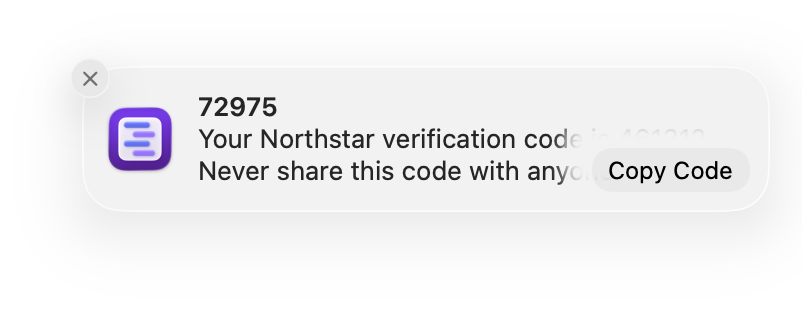
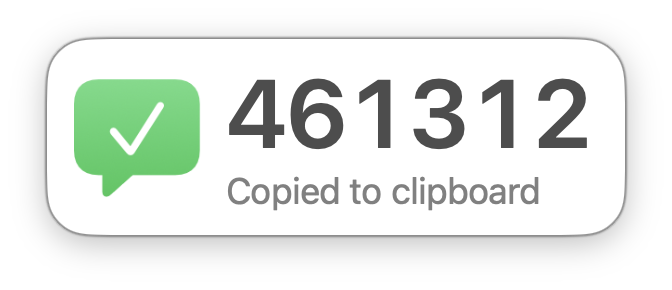
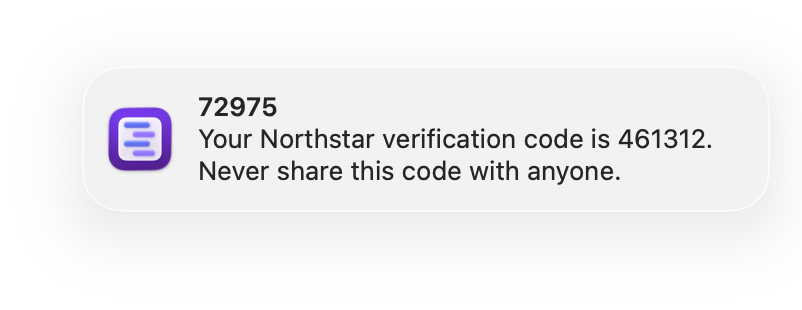
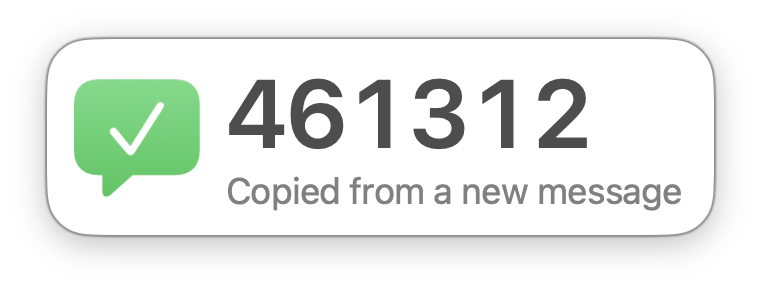
Sign-in codes, ready to paste.
Texty Pro can recognize a one-time passcode in a message notification. Copy it with one click, or let Texty copy it automatically and confirm when it is ready.
The essentials are free. Pro adds thoughtful shortcuts.
Read and send messages without a subscription. Texty Pro is an optional upgrade for people who want quicker replies, clearer alerts, and more control over how Texty fits into macOS.
Included for everyone
Texty Free
Everything needed to use Google Messages from the Mac.
- Read and send messages
- Receive incoming message notifications
- Use the conversations already on the phone
- Adjust the interface zoom
Optional monthly upgrade
Texty Pro
Useful refinements for people who keep Texty close throughout the day.
- Reply from notifications
- Copy one-time passcodes manually or automatically
- Show unread messages on the Dock icon
- Choose custom notification sounds and Dock behavior
- Start a new conversation from the Dock
- Choose download, scroll bar, and window preferences
Google Messages and macOS continue to change. The small monthly fee supports the ongoing work needed to maintain compatibility, keep Texty working properly, and build new features. Core messaging remains free.
Sign in once. Then keep messaging.
Texty connects through the Google account you already use with Google Messages. There is no separate Texty account to create and no conversation history to move.
-
Open Texty
Download Texty from the Mac App Store and launch it on the Mac.
-
Sign in with Google
In Texty, sign in with the same Google account used by Google Messages on your Android phone.
-
Continue your conversations
Your Google Messages conversations and supported features are ready to use from the Mac.
The phone does not need to stay next to the Mac. Once connected, both devices simply need to be online.
Questions before you start.
The essentials about compatibility, signing in, and Texty Pro.
What is required to use Texty?
Texty requires a Mac running macOS 10.15 or later, an Android phone using Google Messages, and an Internet connection on both devices.
How does Texty connect to my Android phone?
Sign in to Texty with the same Google account used by Google Messages on your Android phone. This keeps your conversations in sync and enables supported Google Messages features.
Does my phone need to stay near my Mac?
No. Texty uses the Internet rather than Bluetooth, so the phone and Mac can be in different locations as long as both devices are online.
Does Texty work with RCS, photos, and videos?
Yes. Texty works with the SMS, MMS, and RCS conversations available through Google Messages, including photos, videos, read receipts, and typing indicators when those features are supported by the conversation.
Can I send high-quality photos and videos to iPhone users?
Yes, when the iPhone is running iOS 18 or later and its carrier supports RCS. An RCS conversation supports higher-resolution photos and videos, read receipts, and typing indicators. If RCS is unavailable, Google Messages falls back to SMS/MMS, which may shrink images and significantly reduce video quality.
Can I use Texty without a subscription?
Yes. Reading and sending messages, receiving incoming notifications, and adjusting the interface zoom are free. Texty Pro is an optional upgrade for additional shortcuts and preferences.
What does Texty Pro add?
Texty Pro adds replies from notifications, Quick Compose, optional one-time-passcode copying, an unread Dock badge, custom notification controls, a custom download folder, and additional display preferences.
Ready to text from your Mac?
Download Texty free and connect it to Google Messages in a few minutes.